Free on Android
Take back your time.
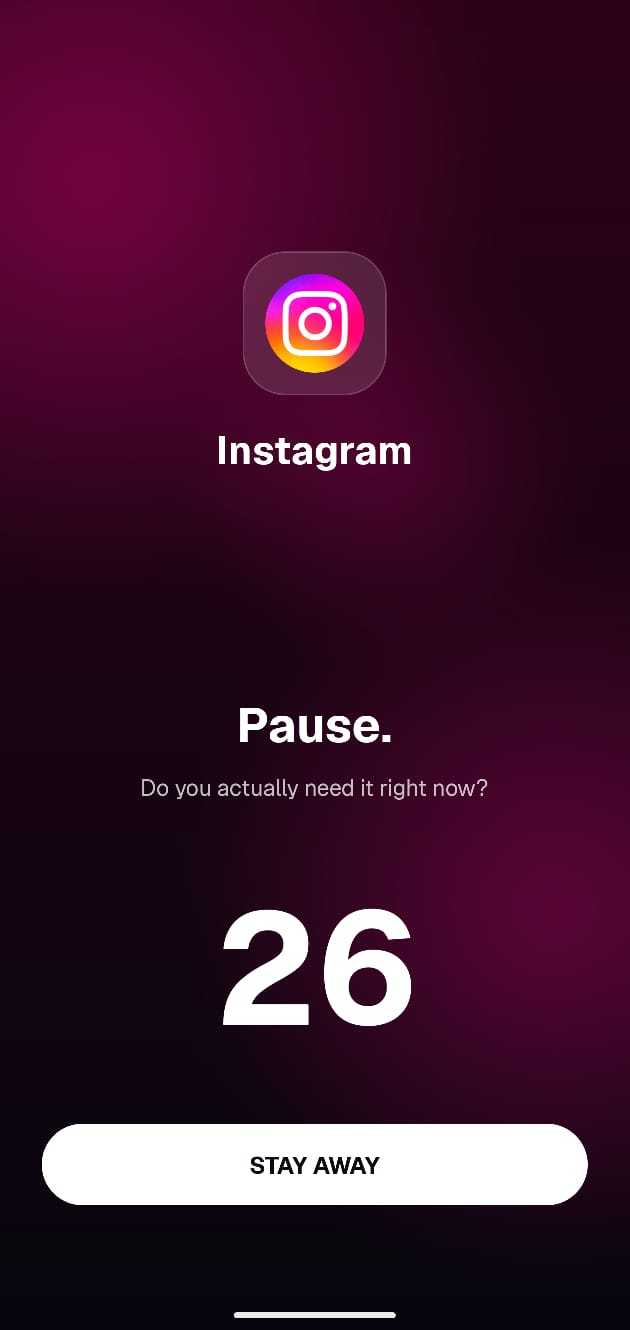
Your thumb opens Instagram before your brain catches up. Doomscroll shows up in that gap. A pause screen before the feed loads, asking: do you actually need this right now?
You're in. We'll email you on launch day.
- Stays on your phone
- No account
- Free forever
- Works when closed
How it works
One pause before every bad habit.
The moment you open an app on autopilot, we ask: do you actually need it right now? That's it. You decide what happens next.
- You wait 5 to 50 seconds before you can say yes. Long enough for the urge to pass.
- Shows up instantly, before the app even opens
- Works even when Doomscroll is not open
Insights
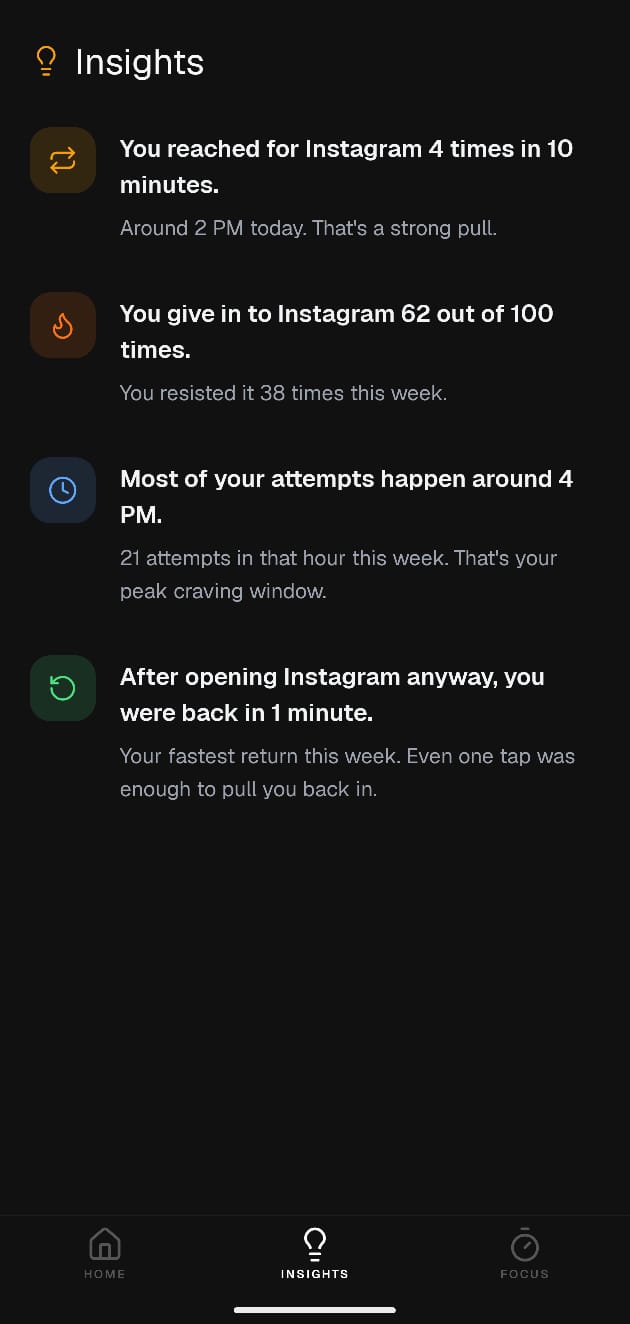
You gave in 62 out of 100 times.
See which app you can never say no to, what time of day you struggle the most, and how often you go back just five minutes after you left.
Awareness
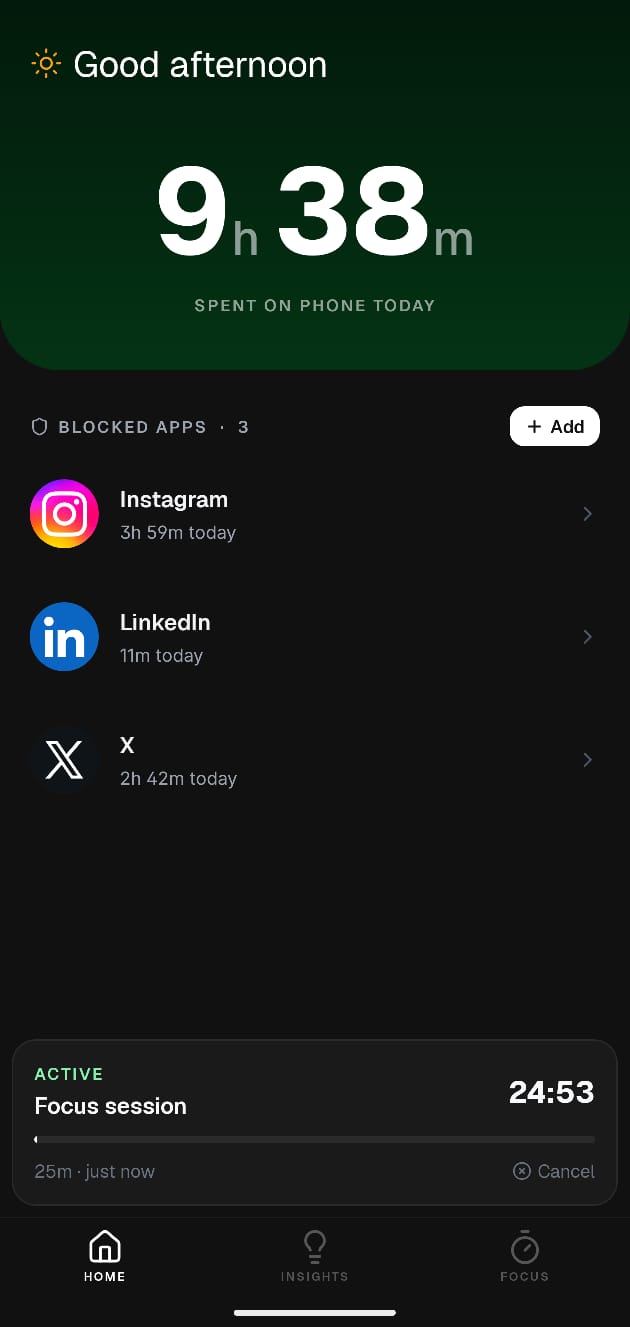
6h 57m on your phone. Was any of it on purpose?
See how long you spend in each app and how many times you reach for it every day. Set a time block or a daily open limit for any app. One screen, everything you need to know.
Focus Mode
Block everything. Do one thing.
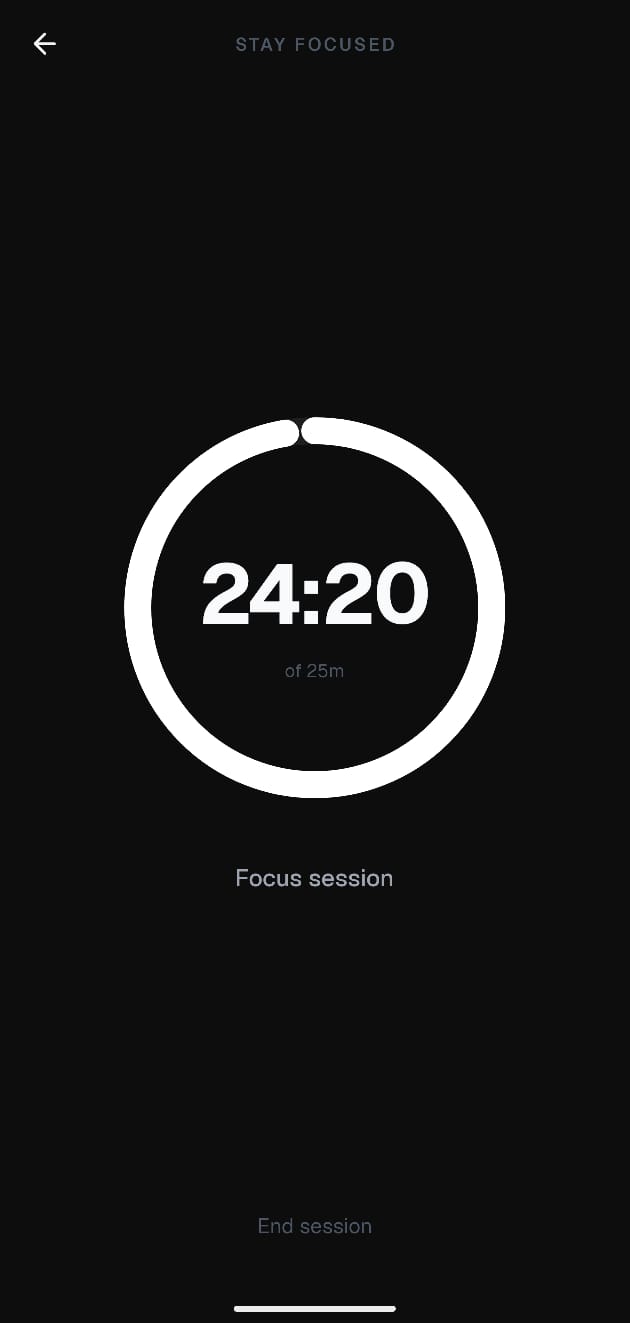
Set a timer. Pick what you want to work on. Every app you picked stays locked until the time runs out. No way around it.
Privacy
Your data never leaves your phone.
Everything Doomscroll knows about you lives only on your phone. No account to create. No cloud. Nothing sent anywhere. Ever. Free forever, no subscription.
- Stays on your phone
- No account needed
- No data sent anywhere
- Free forever
Closed Beta
Try it before it launches.
Launching on Play Store soon. Leave your email and we'll send you the link on launch day.
You're in.
You'll get the Play Store link on launch day. Check your inbox then.
No spam. One email on launch day. That's it.
FAQ
Honest answers.
Won't I just tap through it anyway?
The "Open Anyway" button doesn't appear right away. The wait is random, somewhere between 5 and 50 seconds, so you can't memorize when to expect it. That gap is usually enough for the urge to pass. If you're truly determined to open the app, you can. But most of the time you're not truly determined. Your thumb just got there before your brain did.
Why not just delete the app?
Most people try this. It works for about two weeks. Then a slow Sunday afternoon happens and it's back. Doomscroll is for the people who know they don't actually want to quit. They just want to stop opening it on autopilot at 1am. You keep the app. You just stop letting it run your day.
I'll block Instagram and just switch to YouTube instead.
Yeah, this happens. Block one app and your thumb finds another within minutes. The best fix is adding all the apps you mindlessly reach for, not just one. We can't block the urge itself. We can get in the way of every app it leads you to.
Is this only on Android?
Yes, Android only for now. iOS restricts what third-party apps can do with app blocking, so the instant pause screen we use isn't possible there yet. Android lets us show the screen before the app even opens, which is the whole point. iOS is on the list, but Android is where we can actually build the thing we want to build.
Will I get used to it and start ignoring it after a few weeks?
The wait is random each time. Sometimes 8 seconds, sometimes 40. There is no rhythm to settle into, and it is harder to get used to something unpredictable. The bigger thing is that it does not rely on your willpower at all. It just slows down the reflex before willpower even enters the picture.
Is it actually free? No subscription ever?
Free, no subscription, no ads, no data sold. It was built because the paid options (some charge $100 a year) felt absurd for something that should be a basic tool. We don't have a business model that conflicts with you using your phone less. That's the point.
Does it work when Doomscroll is closed?
Yes. It runs as an Android accessibility service, which means it is managed by the OS, not by the Doomscroll app itself. You can clear Doomscroll from your recents and the pause screen still shows up whenever you open a blocked app.